[ CCode ( type_id = "adw_sidebar_item_get_type ()" ) ]
[ Version ( since = "1.9" ) ]
public class SidebarItem : Object
SidebarItem
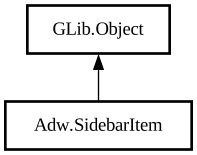
Object Hierarchy:
Description:
An item within [class@SidebarSection].
Sidebar items must have a title, set via [property@SidebarItem:title].
Sidebar items should, but are not required to, have an icon. Icons can be set from an icon name, via [property@SidebarItem:icon-name], or a [iface@Gdk.Paintable], via [property@SidebarItem:icon-paintable].
Items can also have subtitles, set with the [property@SidebarItem:subtitle] property. Subtitles should be used sparingly.
To add a tooltip, use [property@SidebarItem:tooltip]. Tooltips always use Pango markup.
Items can have an arbitrary prefix and suffix widgets, set with the [property@SidebarItem:prefix] and [property@SidebarItem:suffix] properties. They will be displayed at the start (before icon) and end of its row, and before the arrow in the [enum@Adw.SidebarMode.page] mode.
To hide or disable the item, use the [property@SidebarItem:visible] and [property@SidebarItem:enabled] properties respectively.
To access the items's section, use [property@SidebarItem:section].
It's also possible to access the index of the item in both the section and the sidebar, using [method@SidebarItem.get_section_index] and [method@SidebarItem.get_index] respectively.
Dragging content over sidebar items activates them by default. To disable this behavior, set [property@SidebarItem:drag-motion-activate] to `FALSE`.
`AdwSidebarItem` is derivable, and applications that need to associate each page with data can store it in the items themselves this way.
Namespace: Adw
Package: libadwaita-1
Content:
Properties:
Creation methods:
Methods:
Inherited Members:
All known members inherited from class GLib.Object