[ CCode ( type_id = "gtk_source_vim_im_context_get_type ()" ) ]
[ Version ( since = "5.4" ) ]
public class VimIMContext : IMContext
VimIMContext
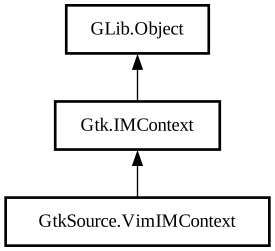
Object Hierarchy:
Description:
Vim emulation.
The `GtkSourceVimIMContext` is a [class@Gtk.IMContext] implementation that can be used to provide Vim-like editing controls within a [ class@View].
The `GtkSourceViMIMContext` will process incoming [class@Gdk.KeyEvent] as the user types. It should be used in conjunction with a [ class@Gtk.EventControllerKey].
Various features supported by `GtkSourceVimIMContext` include:
- Normal, Insert, Replace, Visual, and Visual Line modes
- Support for an integrated command bar and current command preview
- Search and replace
- Motions and Text Objects
- History replay
- Jumplists within the current file
- Registers including the system and primary clipboards
- Creation and motion to marks
- Some commonly used Vim commands
It is recommended that applications display the contents of [property@VimIMContext:command-bar-text] and [ property@VimIMContext:command-text] to the user as they represent the command-bar and current command preview found in Vim.
`GtkSourceVimIMContext` attempts to work with additional [class@Gtk.IMContext] implementations such as IBus by querying the [ class@Gtk.TextView] before processing the command in states which support it (notably Insert and Replace modes).
```c GtkEventController *key; GtkIMContext *im_context; GtkWidget *view;
view = gtk_source_view_new (); im_context = gtk_source_vim_im_context_new (); key = gtk_event_controller_key_new ();
gtk_event_controller_key_set_im_context (GTK_EVENT_CONTROLLER_KEY (key), im_context); gtk_event_controller_set_propagation_phase (key, GTK_PHASE_CAPTURE); gtk_widget_add_controller (view, key); gtk_im_context_set_client_widget (im_context, view);
g_object_bind_property (im_context, "command-bar-text", command_bar_label, "label", 0); g_object_bind_property (im_context, "command-text", command_label, "label", 0); ``` ```python key = Gtk.EventControllerKey.new() im_context = GtkSource.VimIMContext.new() buffer = GtkSource.Buffer() view = GtkSource.View.new_with_buffer(buffer)
key.set_im_context(im_context) key.set_propagation_phase(Gtk.PropagationPhase.CAPTURE) view.add_controller(key) im_context.set_client_widget(view)
im_context.bind_property( source_property="command-text", target=command_label, target_property="label", flags=GObject.BindingFlags.DEFAULT, )
im_context.bind_property( source_property="command-bar-text", target=command_bar_label, target_property="label", flags=GObject.BindingFlags.DEFAULT, ) ```
Namespace: GtkSource
Package: gtksourceview-5
Content:
Properties:
Creation methods:
Methods:
Signals:
Inherited Members:
All known members inherited from class Gtk.IMContext
All known members inherited from class GLib.Object