[ CCode ( type_id = "gtk_print_unix_dialog_get_type ()" ) ]
public class PrintUnixDialog : Dialog, Accessible, Buildable, ConstraintTarget, Native, Root, ShortcutManager
PrintUnixDialog
Object Hierarchy:
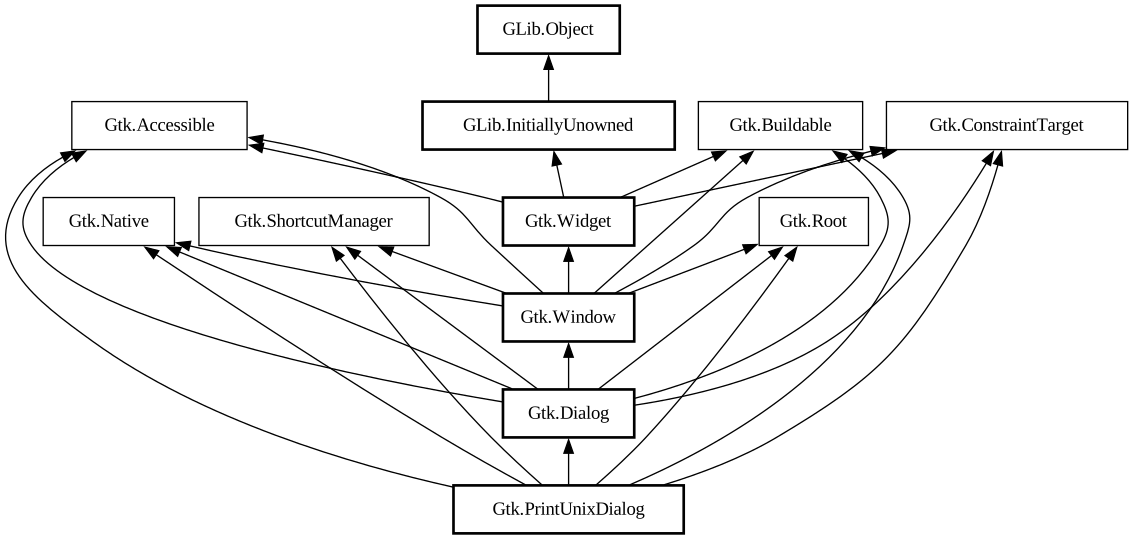
Description:
A print dialog for platforms which don’t provide a native print dialog, like Unix.
<picture> <source srcset="printdialog-dark.png" media="(prefers-color-scheme: dark)"> <img alt="An example GtkPrintUnixDialog" src="printdialog.png"> </picture>
It can be used very much like any other GTK dialog, at the cost of the portability offered by the high-level printing API with [ class@Gtk.PrintOperation].
In order to print something with `GtkPrintUnixDialog`, you need to use [method@Gtk.PrintUnixDialog.get_selected_printer] to obtain a [ class@Gtk.Printer] object and use it to construct a [class@Gtk.PrintJob] using [ctor@Gtk.PrintJob.new].
`GtkPrintUnixDialog` uses the following response values:
- gtk_response_ok: for the “Print” button
- gtk_response_apply: for the “Preview” button
- gtk_response_cancel: for the “Cancel” button
GtkPrintUnixDialog as GtkBuildable
The `GtkPrintUnixDialog` implementation of the `GtkBuildable` interface exposes its notebook internal children with the name
“notebook”.
An example of a `GtkPrintUnixDialog` UI definition fragment:
```xml <object class="GtkPrintUnixDialog" id="dialog1"> <child internal-child="notebook"> <object class="GtkNotebook" id="notebook"> <child> <object type="GtkNotebookPage"> <property name="tab_expand">False</property> < property name="tab_fill">False</property> <property name="tab"> <object class="GtkLabel" id="tablabel"> < property name="label">Tab label</property> </object> </property> <property name="child"> <object class="GtkLabel" id="tabcontent"> <property name="label">Content on notebook tab</property> </object> < /property> </object> </child> </object> </child> </object> ```
CSS nodes
`GtkPrintUnixDialog` has a single CSS node with name window. The style classes dialog and print are added.
Namespace: Gtk
Package: gtk4-unix-print
Content:
Properties:
Creation methods:
Methods:
Inherited Members:
All known members inherited from class Gtk.Dialog
All known members inherited from class Gtk.Window
All known members inherited from class Gtk.Widget
All known members inherited from class GLib.Object
All known members inherited from interface Gtk.Accessible
All known members inherited from interface Gtk.Buildable
All known members inherited from interface Gtk.Native
All known members inherited from interface Gtk.Root
All known members inherited from interface Gtk.ShortcutManager