[ CCode ( type_id = "ges_pipeline_get_type ()" ) ]
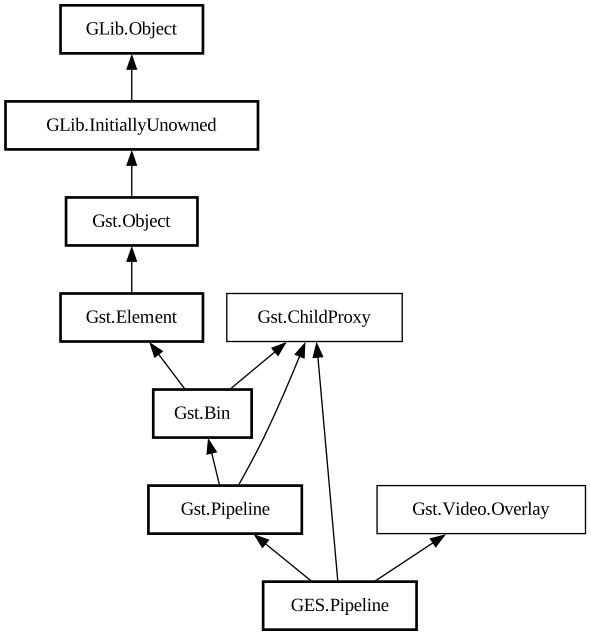
public class Pipeline : Pipeline, ChildProxy, Overlay
Pipeline
Object Hierarchy:
Description:
A Pipeline can take an audio-video Timeline and conveniently
link its Track-s to an internal playsink element, for preview/playback, and an
internal encodebin element, for rendering.
You can switch between these modes using set_mode.
You can choose the specific audio and video sinks used for previewing the timeline by setting the audio_sink and video_sink properties.
You can set the encoding and save location used in rendering by calling set_render_settings.
Namespace: GES
Package: gst-editing-services-1.0
Content:
Properties:
Creation methods:
Methods:
Inherited Members:
All known members inherited from class Gst.Pipeline
All known members inherited from class Gst.Bin
All known members inherited from class Gst.Element
All known members inherited from class Gst.Object
All known members inherited from class GLib.Object
All known members inherited from interface Gst.ChildProxy
All known members inherited from interface Gst.Video.Overlay