[ CCode ( type_id = "adw_wrap_layout_get_type ()" ) ]
[ Version ( since = "1.7" ) ]
public class WrapLayout : LayoutManager, Orientable
WrapLayout
Object Hierarchy:
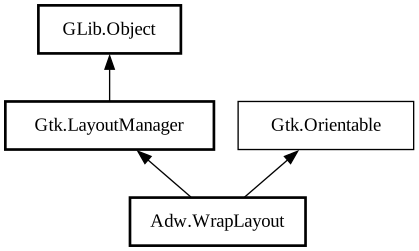
Description:
A box-like layout that can wrap into multiple lines.
<picture> <source srcset="wrap-box-dark.png" media="(prefers-color-scheme: dark)"> <img src="wrap-box.png" alt="wrap-box"> </picture>
`AdwWrapLayout` is similar to [class@Gtk.BoxLayout], but can wrap lines when the widgets cannot fit otherwise. Unlike [class@Gtk.FlowBox] , the children aren't arranged into a grid and behave more like words in a wrapping label.
Like `GtkBoxLayout`, `AdwWrapLayout` is orientable and has spacing:
- [property@WrapLayout:child-spacing] between children in the same line;
- [property@WrapLayout:line-spacing] between lines.
::: note Unlike `GtkBoxLayout`, `AdwWrapLayout` cannot follow the CSS `border-spacing` property.
Use the [property@WrapLayout:natural-line-length] property to determine the layout's natural size, e.g. when using it in a [ class@Gtk.Popover].
Normally, a horizontal `AdwWrapLayout` wraps left to right and top to bottom for left-to-right languages. Both of these directions can be reversed, using the [property@WrapLayout:pack-direction] and [property@WrapLayout:wrap-reverse] properties. Additionally, the alignment of each line can be controlled with the [property@WrapLayout:align] property.
Lines can be justified using the [property@WrapLayout:justify] property, filling the entire line by either increasing child size or spacing depending on the value. Set [property@WrapLayout:justify-last-line] to justify the last line as well.
By default, `AdwWrapLayout` wraps as soon as the previous line cannot fit any more children without shrinking them past their natural size. Set [property@WrapLayout:wrap-policy] to [enum@Adw.WrapPolicy.minimum] to only wrap once all the children in the previous line have been shrunk to their minimum size.
To make each line take the same amount of space, set [property@WrapLayout:line-homogeneous] to `TRUE`.
Spacing and natural line length can scale with the text scale factor, use the [property@WrapLayout:child-spacing-unit], [ property@WrapLayout:line-spacing-unit] and/or [property@WrapLayout:natural-line-length-unit] properties to enable that behavior.
See [class@WrapBox].
Namespace: Adw
Package: libadwaita-1
Content:
Properties:
Creation methods:
Methods:
Inherited Members:
All known members inherited from class Gtk.LayoutManager
All known members inherited from class GLib.Object
All known members inherited from interface Gtk.Orientable