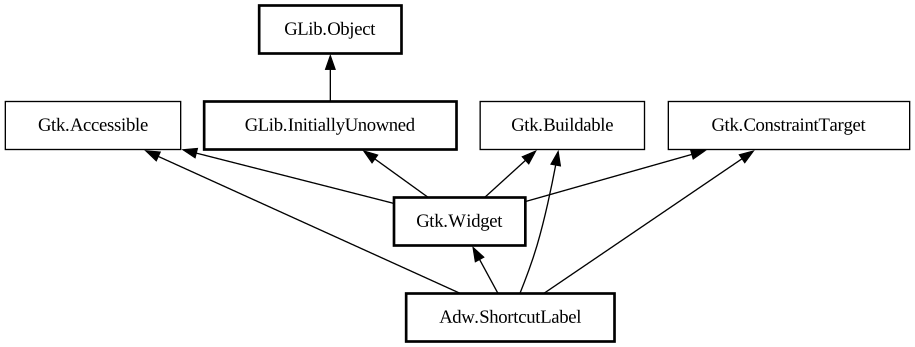
A widget that displays a keyboard shortcut.
<picture> <source srcset="shortcut-label-dark.png" media="(prefers-color-scheme: dark)"> <img src="shortcut-label.png"
alt="shortcut-label"> </picture>
The shown shortcut can be set using the [property@ShortcutLabel:accelerator] property.
Optionally, if no shortcut is set, `AdwShortcutLabel` will display a placeholder set with the [property@ShortcutLabel:disabled-text]
property.
The following types of shortcuts can be displayed:
- A single shortcut in [func@Gtk.accelerator_parse] format, e.g. `<Control>C`:
<picture> <source srcset="shortcut-label-single-dark.png" media="(prefers-color-scheme: dark)"> <img
src="shortcut-label-single.png" alt="shortcut-label-single"> </picture>
- Multiple alternative shortcuts, separated with spaces, e.g. `<Shift>A Home`:
<picture> <source srcset="shortcut-label-alternative-dark.png" media="(prefers-color-scheme: dark)"> <img
src="shortcut-label-alternative.png" alt="shortcut-label-alternative"> </picture>
- A range of shortcuts, separated with `...`, e.g. `<Alt>1...9`:
<picture> <source srcset="shortcut-label-range-dark.png" media="(prefers-color-scheme: dark)"> <img
src="shortcut-label-range.png" alt="shortcut-label-range"> </picture>
- Multiple keys pressed at once, separated with `&`, e.g. `Control_L&Control_R`:
<picture> <source srcset="shortcut-label-multiple-dark.png" media="(prefers-color-scheme: dark)"> <img
src="shortcut-label-multiple.png" alt="shortcut-label-multiple"> </picture>
- Multiple shortcuts or keys, pressed sequentially, separated with `+`, e.g. `<Control>C+<Control>X`:
<picture> <source srcset="shortcut-label-sequence-dark.png" media="(prefers-color-scheme: dark)"> <img
src="shortcut-label-sequence.png" alt="shortcut-label-sequence"> </picture>
::: note `<`, `>` and `&` need to be escaped as `<`, `>` and `&` when used in UI files.
CSS nodes
`AdwShortcutLabel` has a single CSS node with name `shortcut-label`. The individual keycap labels each have the `.keycap` style class,
while the labels separating them have the `.dimmed` style class.
Accessibility
`AdwShortcutLabel` uses the [enum@Gtk.AccessibleRole.label] role.
See also: [class@ShortcutsDialog].