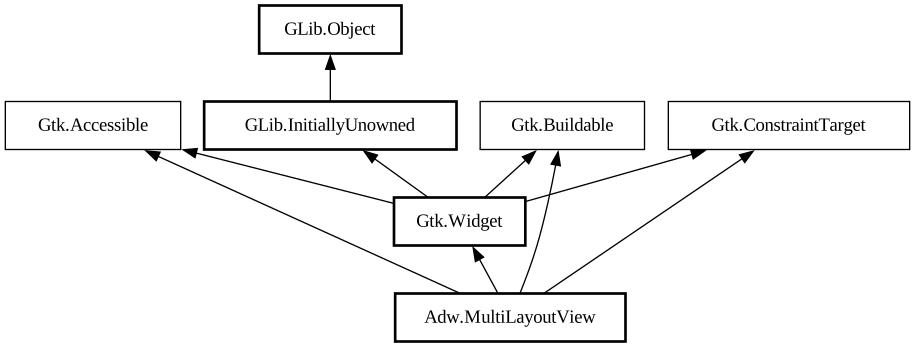
A widget for switching between different layouts.
`AdwMultiLayoutView` contains layouts and children. Each child has an ID, each layout has slots inside it, each slot also has an ID. When
switching layouts, children are inserted into slots with matching IDs. The [property@Gtk.Widget:visible] property of each slot is updated
to match that of the inserted child.
This can be useful for rearranging children when it's difficult to do so otherwise, for example to move a child from a sidebar to a
bottom bar.
The currently used layout can be switched using the [property@MultiLayoutView:layout] or [property@MultiLayoutView:layout-name]
properties. For example, it can be done via a [class@Adw.Breakpoint] setter to change layouts depending on the window size.
AdwMultiLayoutView as GtkBuildable
The `AdwMultiLayoutView` implementation of the [iface@Gtk.Buildable] interface supports adding layouts via `<child>` element with
the `type` attribute omitted.
It also supports setting children via `<child type="ID">`.
Example of an `AdwMultiLayoutView` UI definition that can display a secondary child as either a sidebar or a bottom sheet.
```xml <object class="AdwMultiLayoutView"> <child> <object class="AdwLayout"> <property name="name">sidebar
</property> <property name="content"> <object class="AdwOverlaySplitView"> <property name="sidebar"> <
object class="AdwLayoutSlot"> <property name="id">secondary</property> </object> </property> <property
name="content"> <object class="AdwLayoutSlot"> <property name="id">primary</property> </object> <
/property> </object> </property> </object> </child> <child> <object class="AdwLayout"> <
property name="name">bottom-sheet</property> <property name="content"> <object class="AdwBottomSheet"> <
property name="open">True</property> <property name="content"> <object class="AdwLayoutSlot"> <property
name="id">primary</property> </object> </property> <property name="sheet"> <object class="AdwLayoutSlot"
> <property name="id">secondary</property> </object> </property> </object> </property> <
/object> </child> <child type="primary"> <!-- put your primary child here --> </child> <child
type="secondary"> <!-- put your secondary child here --> </child> </object> ```
CSS nodes
`AdwMultiLayoutView` has a single CSS node with name `multi-layout-view`.