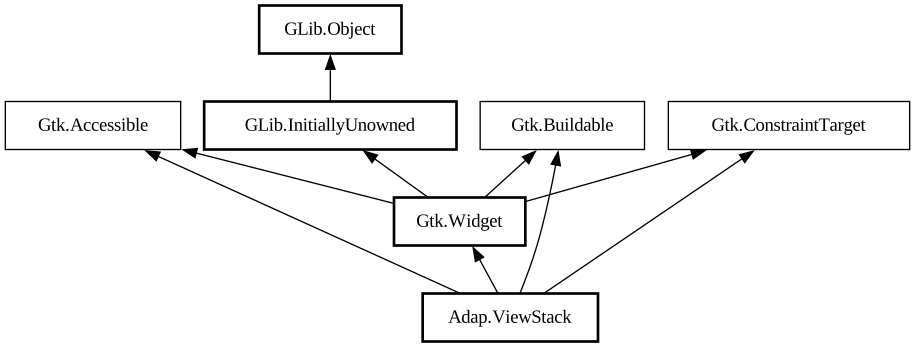
A view container for [class@ViewSwitcher].
`AdapViewStack` is a container which only shows one page at a time. It is typically used to hold an application's main views.
It doesn't provide a way to transition between pages. Instead, a separate widget such as [class@ViewSwitcher] can be used with
`AdapViewStack` to provide this functionality.
`AdapViewStack` pages can have a title, an icon, an attention request, and a numbered badge that [class@ViewSwitcher] will use to let
users identify which page is which. Set them using the [property@ViewStackPage:title], [property@ViewStackPage:icon-name], [
property@ViewStackPage:needs-attention], and [property@ViewStackPage:badge-number] properties.
Unlike [class@Gtk.Stack], transitions between views are not animated.
`AdapViewStack` maintains a [class@ViewStackPage] object for each added child, which holds additional per-child properties. You obtain
the [class@ViewStackPage] for a child with [method@ViewStack.get_page] and you can obtain a [iface@Gtk.SelectionModel] containing all the
pages with [method@ViewStack.get_pages].
AdapViewStack as GtkBuildable
To set child-specific properties in a .ui file, create [class@ViewStackPage] objects explicitly, and set the child widget as a property
on it:
```xml <object class="AdapViewStack" id="stack"> <child> <object class="AdapViewStackPage"> <property
name="name">overview</property> <property name="title">Overview</property> <property name="child"> <
object class="AdapStatusPage"> <property name="title">Welcome!</property> </object> </property> </object
> </child> </object> ```
CSS nodes
`AdapViewStack` has a single CSS node named `stack`.
Accessibility
`AdapViewStack` uses the `GTK_ACCESSIBLE_ROLE_TAB_PANEL` for the stack pages which are the accessible parent objects of the child
widgets.