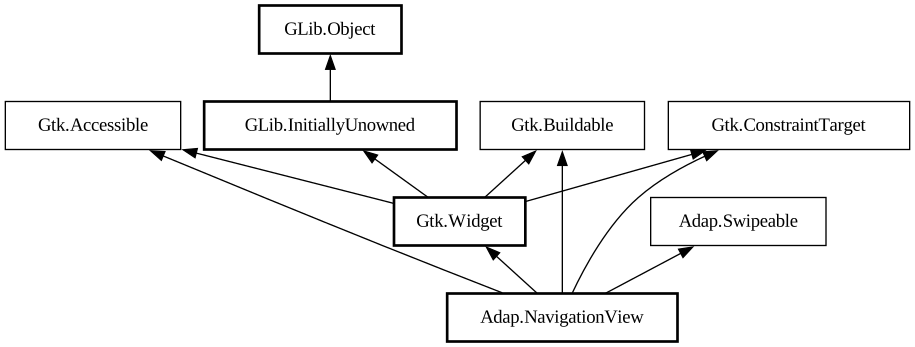
A page-based navigation container.
<picture> <source srcset="navigation-view-dark.png" media="(prefers-color-scheme: dark)"> <img src="navigation-view.png"
alt="navigation-view"> </picture>
`AdapNavigationView` presents one child at a time, similar to [class@Gtk.Stack].
`AdapNavigationView` can only contain [class@NavigationPage] children.
It maintains a navigation stack that can be controlled with [method@NavigationView.push] and [method@NavigationView.pop]. The whole
navigation stack can also be replaced using [method@NavigationView.replace].
`AdapNavigationView` allows to manage pages statically or dynamically.
Static pages can be added using the [method@NavigationView.add] method. The `AdapNavigationView` will keep a reference to these pages,
but they aren't accessible to the user until [method@NavigationView.push] is called (except for the first page, which is pushed
automatically). Use the [method@NavigationView.remove] method to remove them. This is useful for applications that have a small number of
unique pages and just need navigation between them.
Dynamic pages are automatically destroyed once they are popped off the navigation stack. To add a page like this, push it using the [
method@NavigationView.push] method without calling [method@NavigationView.add] first.
Tags
Static pages, as well as any pages in the navigation stack, can be accessed by their [property@NavigationPage:tag]. For example, [
method@NavigationView.push_by_tag] can be used to push a static page that's not in the navigation stack without having to keep a reference
to it manually.
Header Bar Integration
When used inside `AdapNavigationView`, [class@HeaderBar] will automatically display a back button that can be used to go back to the
previous page when possible. The button also has a context menu, allowing to pop multiple pages at once, potentially across multiple
navigation views.
Set [property@HeaderBar:show-back-button] to `FALSE` to disable this behavior in rare scenarios where it's unwanted.
`AdapHeaderBar` will also display the title of the `AdapNavigationPage` it's placed into, so most applications shouldn't need to
customize it at all.
Shortcuts and Gestures
`AdapNavigationView` supports the following shortcuts for going to the previous page:
- <kbd>Escape</kbd> (unless [property@NavigationView:pop-on-escape] is set to `FALSE`)
- <kbd>Alt</kbd>+<kbd>←</kbd>
- Back mouse button
Additionally, it supports interactive gestures:
- One-finger swipe towards the right on touchscreens
- Scrolling towards the right on touchpads (usually two-finger swipe)
These gestures have transitions enabled regardless of the [property@NavigationView:animate-transitions] value.
Applications can also enable shortcuts for pushing another page onto the navigation stack via connecting to the [signal@NavigationView:
AdapNavigationView:get-next-page] signal, in that case the following shortcuts are supported:
- <kbd>Alt</kbd>+<kbd>→</kbd>
- Forward mouse button
- Swipe/scrolling towards the left
For right-to-left locales, the gestures and shortcuts are reversed.
[property@NavigationPage:can-pop] can be used to disable them, along with the header bar back buttons.
Actions
`AdapNavigationView` defines actions for controlling the navigation stack. actions for controlling the navigation stack:
- `navigation.push` takes a string parameter specifying the tag of the page to push, and is equivalent to calling [
method@NavigationView.push_by_tag].
- `navigation.pop` doesn't take any parameters and pops the current page from the navigation stack, equivalent to calling [
method@NavigationView.pop].
`AdapNavigationView` as `GtkBuildable`
`AdapNavigationView` allows to add pages as children, equivalent to using the [method@NavigationView.add] method.
Example of an `AdapNavigationView` UI definition:
```xml <object class="AdapNavigationView"> <child> <object class="AdapNavigationPage"> <property name="title"
translatable="yes">Page 1</property> <property name="child"> <object class="AdapToolbarView"> <child type="top"
> <object class="AdapHeaderBar"/> </child> <property name="content"> <object class="GtkButton"> <
property name="label" translatable="yes">Open Page 2</property> <property name="halign">center</property> <
property name="valign">center</property> <property name="action-name">navigation.push</property> <property
name="action-target">'page-2'</property> <style> <class name="pill"/> </style> </object> <
/property> </object> </property> </object> </child> <child> <object class="AdapNavigationPage"
> <property name="title" translatable="yes">Page 2</property> <property name="tag">page-2</property> <
property name="child"> <object class="AdapToolbarView"> <child type="top"> <object class="AdapHeaderBar"/> <
/child> <property name="content"> <!-- ... --> </property> </object> </property> </object>
</child> </object> ```
<picture> <source srcset="navigation-view-example-dark.png" media="(prefers-color-scheme: dark)"> <img
src="navigation-view-example.png" alt="navigation-view-example"> </picture>
CSS nodes
`AdapNavigationView` has a single CSS node with the name `navigation-view`.
Accessibility
`AdapNavigationView` uses the `GTK_ACCESSIBLE_ROLE_GROUP` role.