[ CCode ( type_id = "json_reader_get_type ()" ) ]
[ Version ( since = "0.12" ) ]
public class Reader : Object
Reader
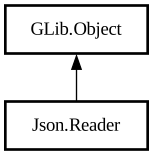
Object Hierarchy:
Description:
`JsonReader` provides a simple, cursor-based API for parsing a JSON DOM.
It is similar, in spirit, to the XML Reader API.
The cursor is moved by the `json_reader_read_*` and the `json_reader_end_*` functions. You can enter a JSON object using [ method@Json.Reader.read_member] with the name of the object member, access the value at that position, and move the cursor back one level using [method@Json.Reader.end_member]; arrays work in a similar way, using [method@Json.Reader.read_element] with the index of the element, and using [method@Json.Reader.end_element] to move the cursor back.
Using `JsonReader`
```c g_autoptr(JsonParser) parser = json_parser_new ();
// str is defined elsewhere and contains: // { "url" : "http://www.gnome.org/img/flash/two-thirty.png", "size" : [ 652, 242 ] } json_parser_load_from_data (parser, str, -1, NULL);
g_autoptr(JsonReader) reader = json_reader_new (json_parser_get_root (parser));
// Enter the "url" member of the object json_reader_read_member (reader, "url"); const char *url = json_reader_get_string_value (reader) ; // url now contains "http://www.gnome.org/img/flash/two-thirty.png" json_reader_end_member (reader);
// Enter the "size" member of the object json_reader_read_member (reader, "size"); // Enter the first element of the array json_reader_read_element (reader, 0); int width = json_reader_get_int_value (reader); // width now contains 652 json_reader_end_element (reader); // Enter the second element of the array json_reader_read_element (reader, 1); int height = json_reader_get_int_value ( reader); // height now contains 242 json_reader_end_element (reader); json_reader_end_member (reader); ```
Error handling
In case of error, `JsonReader` will be set in an error state; all subsequent calls will simply be ignored until a function that resets the error state is called, e.g.:
```c // ask for the 7th element; if the element does not exist, the // reader will be put in an error state json_reader_read_element ( reader, 6);
// in case of error, this will return NULL, otherwise it will // return the value of the element str = json_reader_get_string_value ( value);
// this function resets the error state if any was set json_reader_end_element (reader); ```
If you want to detect the error state as soon as possible, you can use [method@Json.Reader.get_error]:
```c // like the example above, but in this case we print out the // error immediately if (!json_reader_read_element (reader, 6)) { const GError *error = json_reader_get_error (reader); g_print ("Unable to read the element: s", error- >message); } ```
Namespace: Json
Package: json-glib-1.0
Content:
Properties:
Creation methods:
Methods:
Inherited Members:
All known members inherited from class GLib.Object