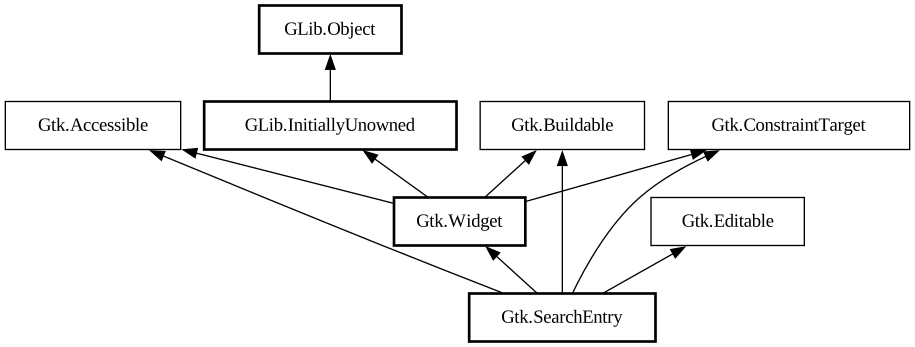
A single-line text entry widget for use as a search entry.
The main API for interacting with a `GtkSearchEntry` as entry is the `GtkEditable` interface.
<picture> <source srcset="search-entry-dark.png" media="(prefers-color-scheme: dark)"> <img alt="An example
GtkSearchEntry" src="search-entry.png"> </picture>
It will show an inactive symbolic “find” icon when the search entry is empty, and a symbolic “clear” icon when there is text.
Clicking on the “clear” icon will empty the search entry.
To make filtering appear more reactive, it is a good idea to not react to every change in the entry text immediately, but only after a
short delay. To support this, `GtkSearchEntry` emits the [signal@Gtk.SearchEntry:GtkSearchEntry:search-changed] signal which
can be used instead of the [signal@Gtk.Editable:GtkSearchEntry:changed] signal.
The [signal@Gtk.SearchEntry:GtkSearchEntry:previous-match], [signal@Gtk.SearchEntry:GtkSearchEntry:next-match]
and [signal@Gtk.SearchEntry:GtkSearchEntry:stop-search] signals can be used to implement moving between search results and
ending the search.
Often, `GtkSearchEntry` will be fed events by means of being placed inside a [class@Gtk.SearchBar]. If that is not the case, you can use
[method@Gtk.SearchEntry.set_key_capture_widget] to let it capture key input from another widget.
`GtkSearchEntry` provides only minimal API and should be used with the [iface@Gtk.Editable] API.
Shortcuts and Gestures
The following signals have default keybindings:
- [signal@Gtk.SearchEntry:
GtkSearchEntry:activate]
- [signal@Gtk.SearchEntry:
GtkSearchEntry:next-match]
- [signal@Gtk.SearchEntry:
GtkSearchEntry:previous-match]
- [signal@Gtk.SearchEntry:
GtkSearchEntry:stop-search]
CSS Nodes
``` entry.search ╰── text ```
`GtkSearchEntry` has a single CSS node with name entry that carries a `.search` style class, and the text node is a child of that.
Accessibility
`GtkSearchEntry` uses the [enum@Gtk.AccessibleRole.search_box] role.