[ CCode ( type_id = "ges_track_element_get_type ()" ) ]
public abstract class TrackElement : TimelineElement, Extractable, MetaContainer
TrackElement
Object Hierarchy:
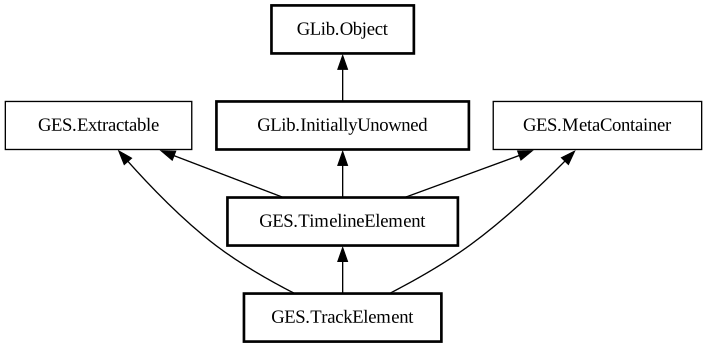
Description:
A TrackElement is a TimelineElement that specifically belongs to a single Track of its timeline.
Its start and
duration specify its temporal extent in the track. Specifically, a track
element wraps some nleobject, such as an nlesource or nleoperation, which can be retrieved with
get_nleobject, and its
start, duration
, in_point,
priority and
active properties expose the corresponding nleobject properties. When a track element is added to a track, its nleobject is added to
the corresponding nlecomposition that the track wraps.
Most users will not have to work directly with track elements since a Clip will automatically create track elements for its timeline's tracks and take responsibility for updating them. The only track elements that are not automatically created by clips, but a user is likely to want to create, are Effect-s.
Control Bindings for Children Properties
You can set up control bindings for a track element child property using
set_control_source. A GstTimedValueControlSource should
specify the timed values using the internal source coordinates (see
TimelineElement). By default, these will be updated to lie between the
in_point and out-point of the element. This can be switched off by setting
auto_clamp_control_sources to
false.
All known sub-classes:
Namespace: GES
Package: gst-editing-services-1.0
Content:
Properties:
Creation methods:
Methods:
Signals:
Inherited Members:
All known members inherited from class GES.TimelineElement
All known members inherited from class GLib.Object
All known members inherited from interface GES.Extractable
All known members inherited from interface GES.MetaContainer